

RectoVerso
Press kit.
Flashcards that unfold.
Open iPhone Duo and the answer arrives a little at a time. Stop as soon as you know it. How much you revealed helps decide when the card comes back.
Named among nine unique apps to try on the iPhone Duo.
01 · In motion
Press video
62 seconds. A Chinese card revealed on iPhone Duo, how what you reveal sets the next review, a skull’s labels under frosted glass, a cloze, the Duo’s poses, the features and privacy, then “Flashcards that unfold.” The app’s own screens and sounds. Please credit RectoVerso / Simon Pinkas.
02 · The app
Screenshots
Refreshed October 16, 2026. PNGs with transparent backgrounds. Official Star White bezels; the tabletop picture is rendered by Bitrig’s 3D simulator. AI pictures composite Safari with native card results. Please credit RectoVerso / Simon Pinkas.
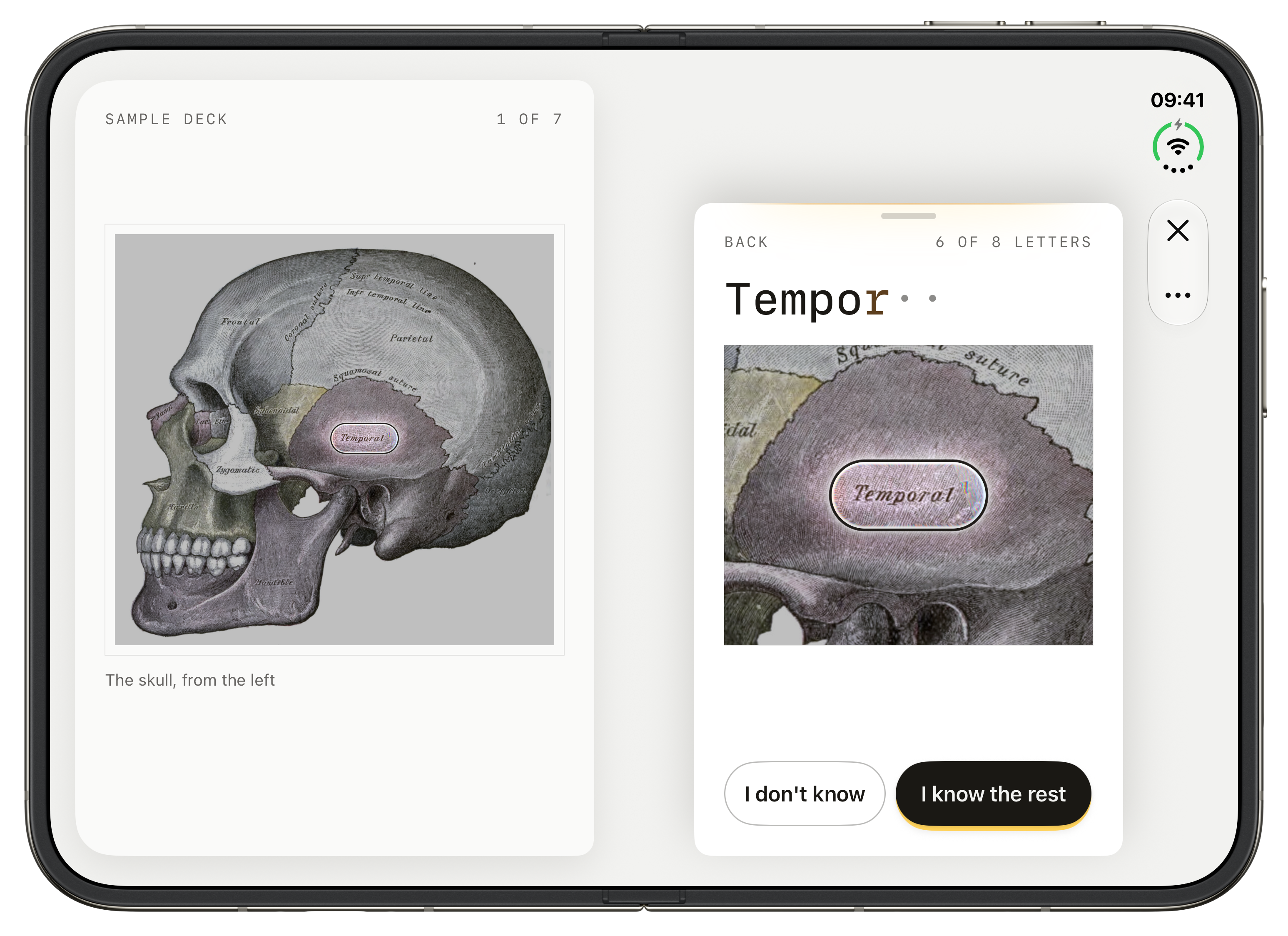
Open the fold to reveal the temporal bone, with a closer view of the answer.
PNG · 3093 × 2247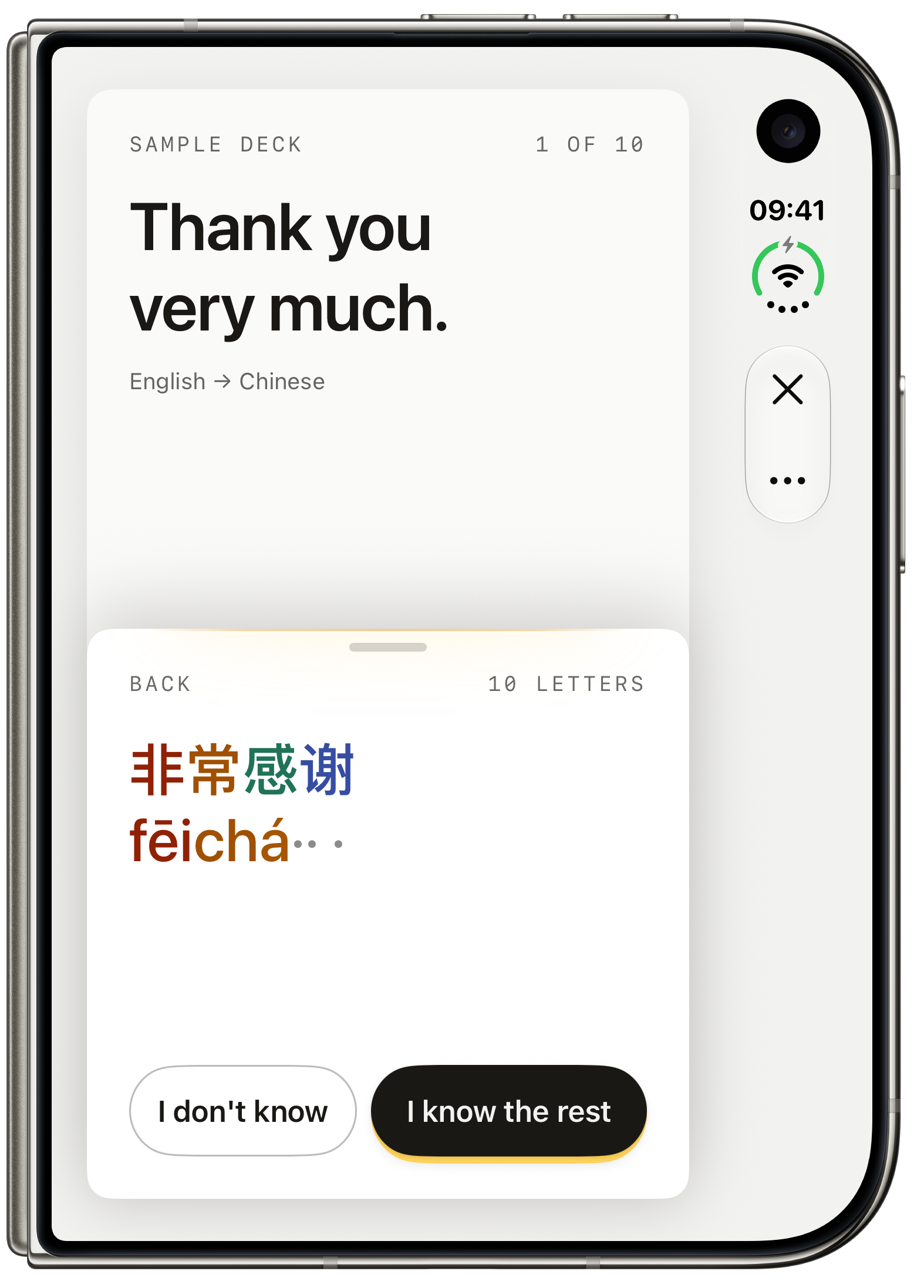
Chinese characters and pinyin keep their tone colors as the answer arrives.
PNG · 1574 × 2194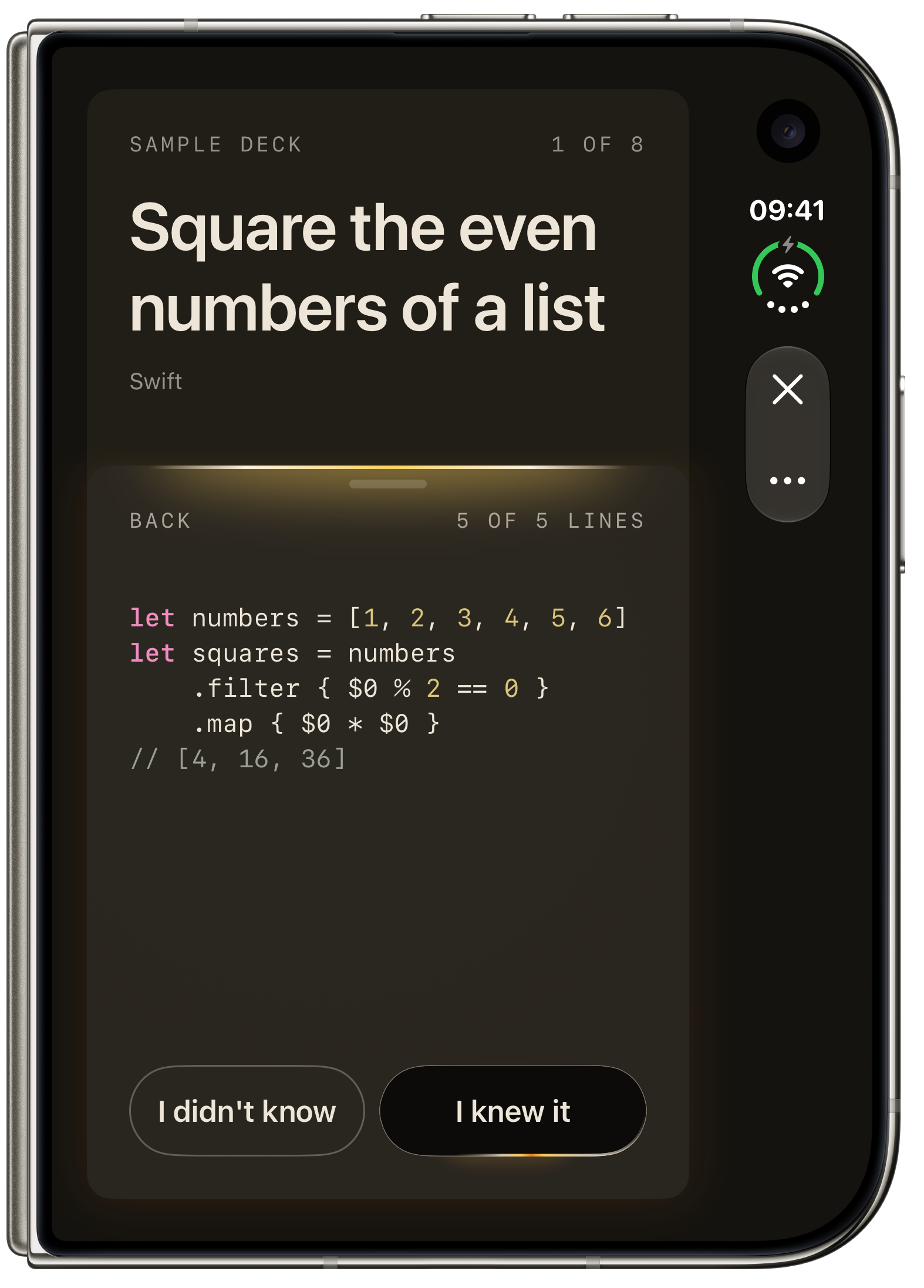
Swift syntax stays part of the card. Here, all five lines have been revealed.
PNG · 1574 × 2194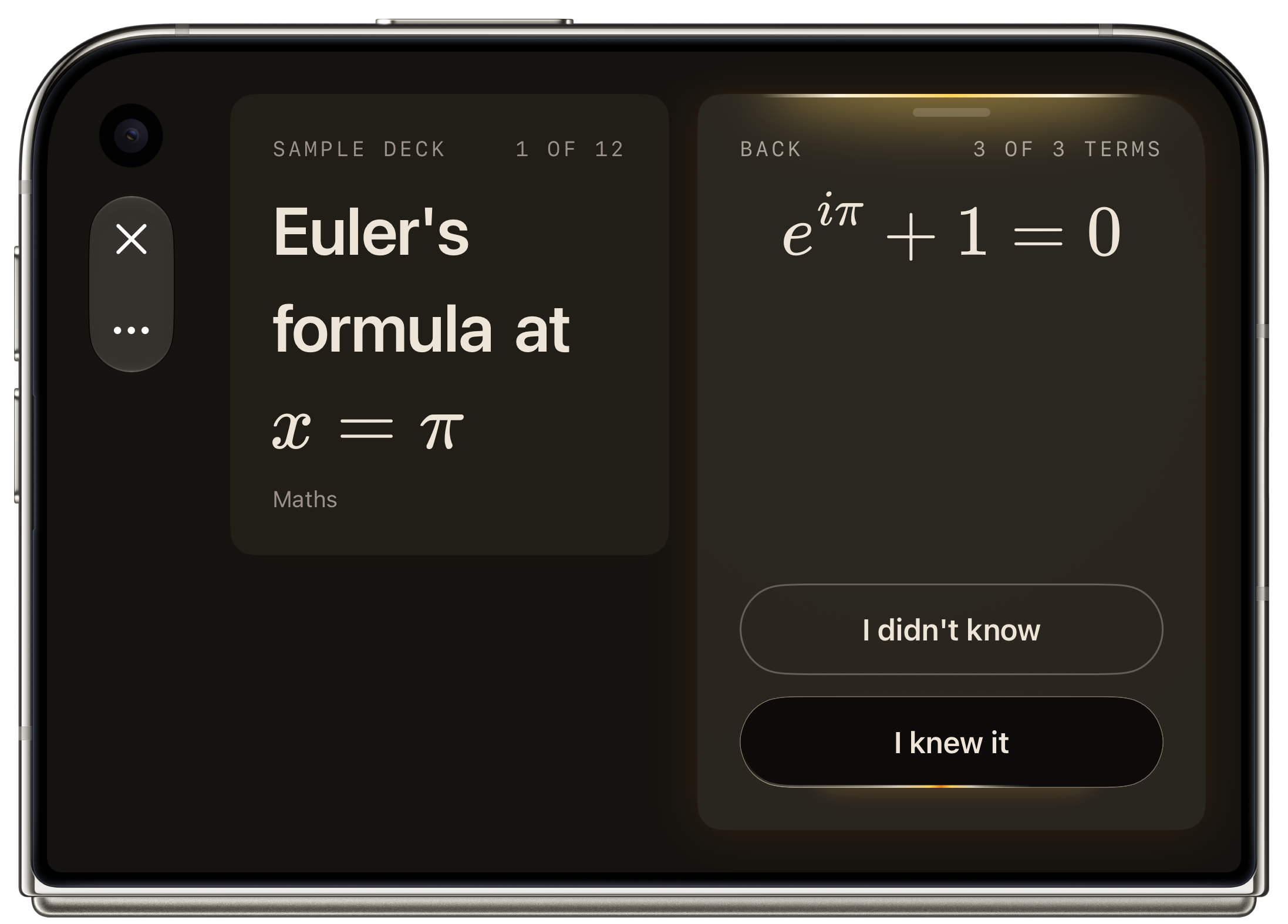
The question and Euler’s formula sit side by side on the closed Duo.
PNG · 2194 × 1574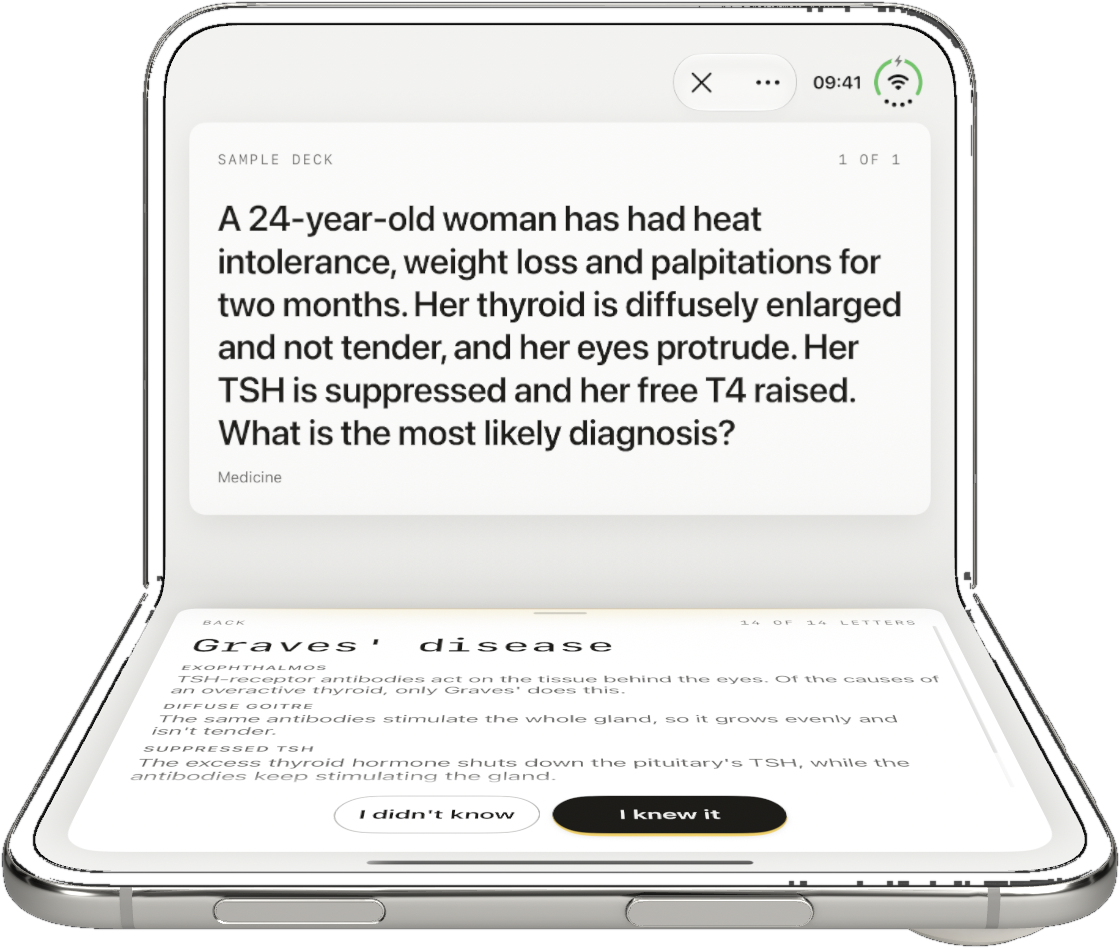
In tabletop, the question sits above the answer and its notes.
PNG · 1120 × 948Your library, at a glance.
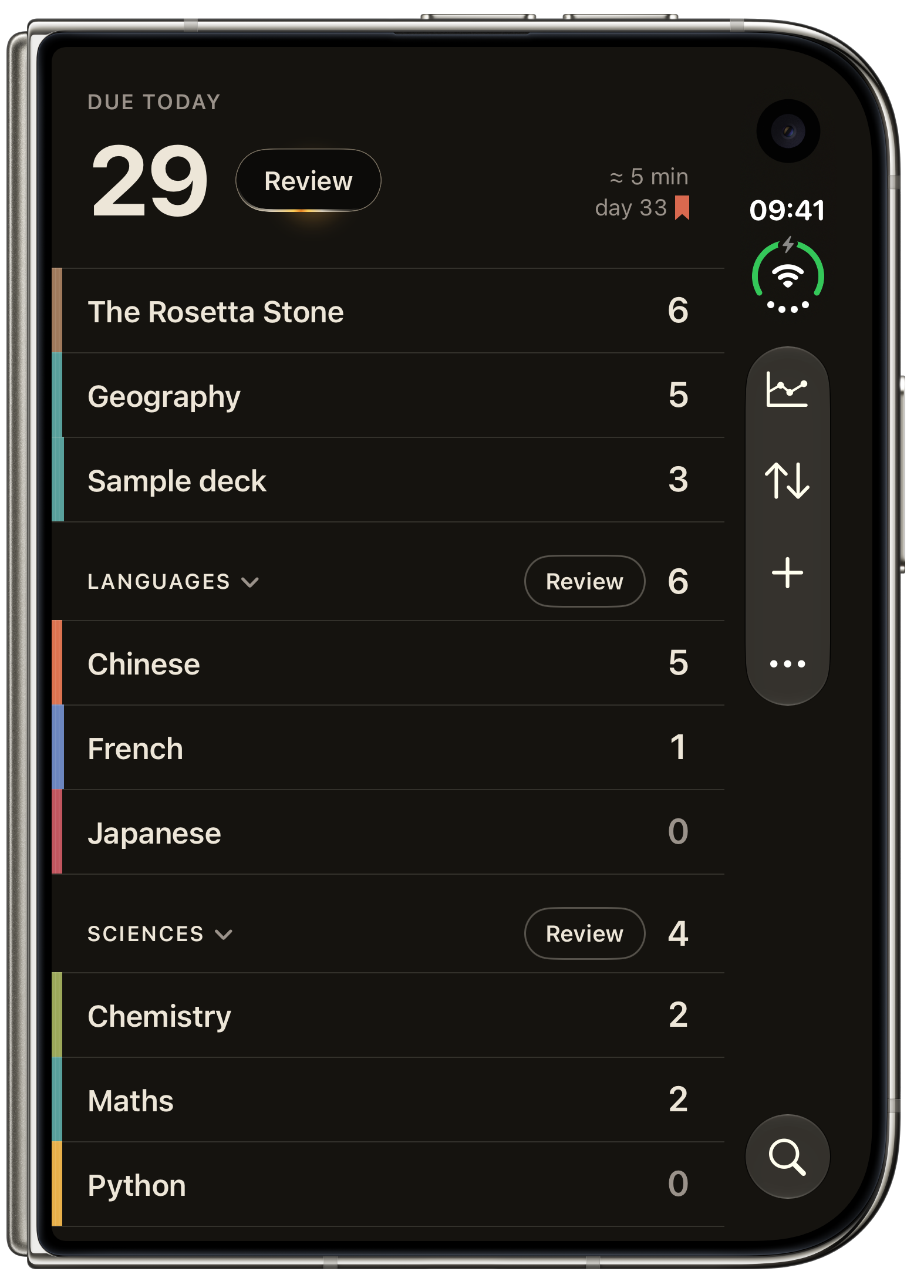
Decks stay in their groups, with today’s reviews ready at the top.
PNG · 1574 × 2194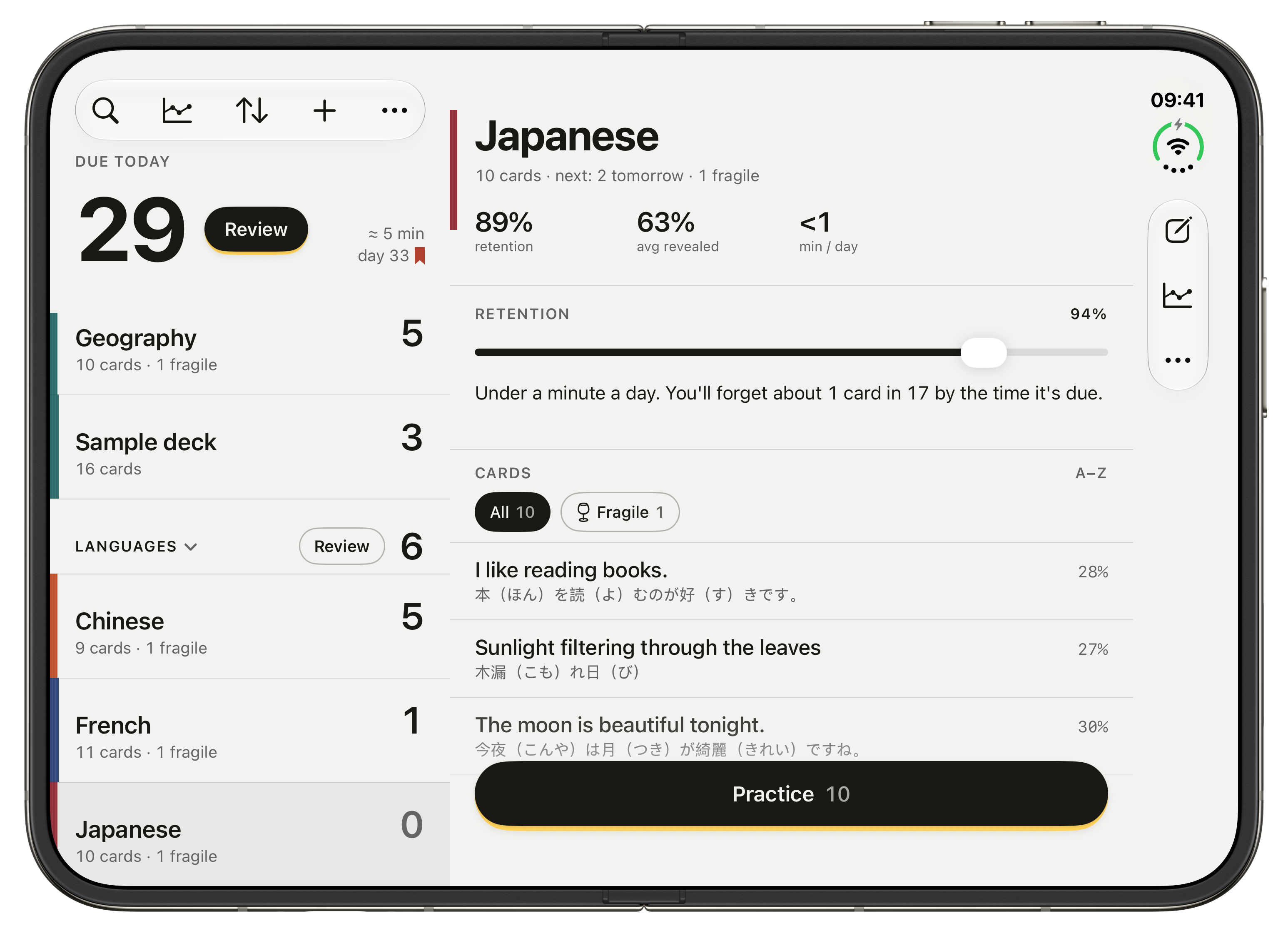
Open the Duo to see the shelf beside a deck’s cards, retention and next review.
PNG · 3093 × 2247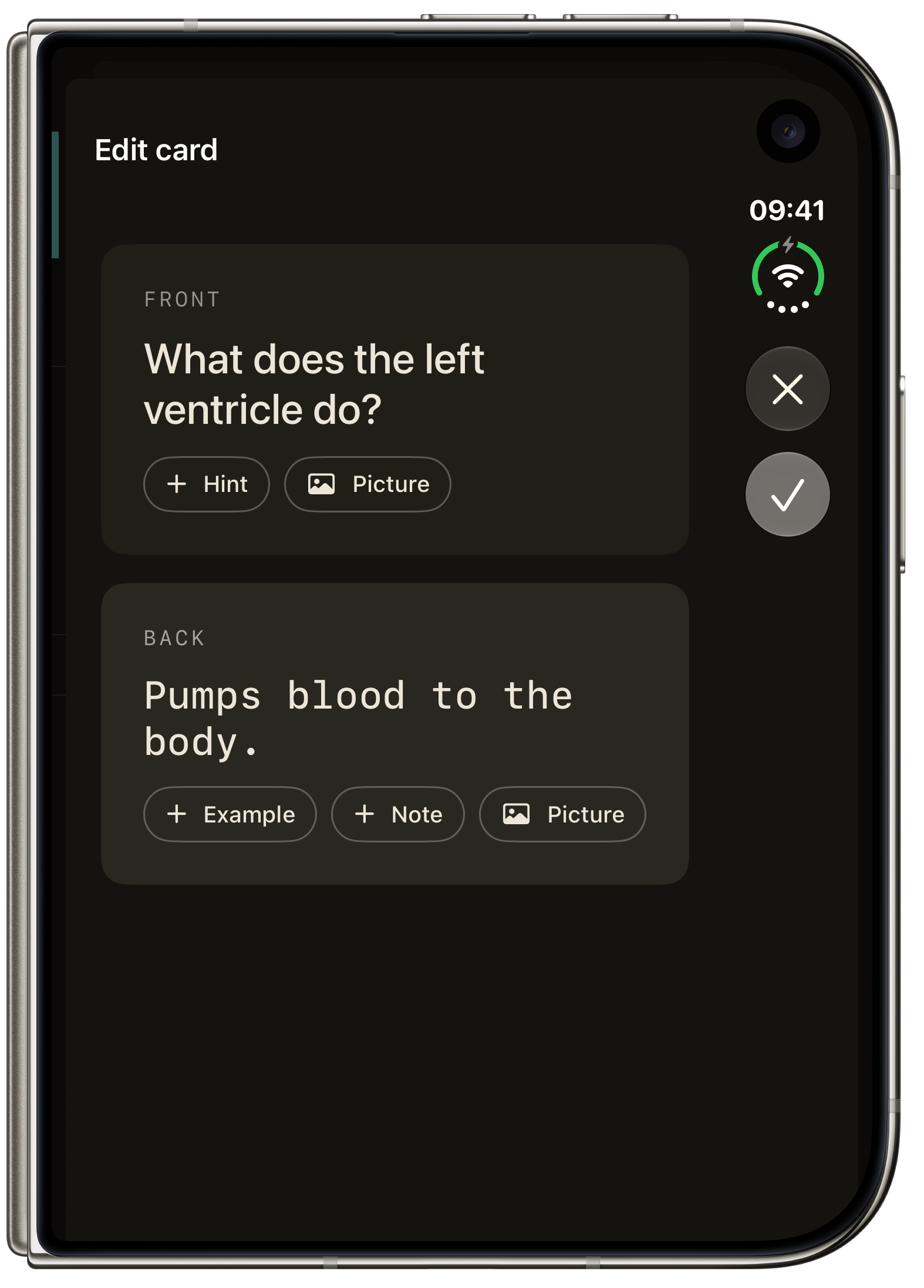
A prompt on the front, an answer on the back. Add an example, a note or a picture.
PNG · 1574 × 2194
Follow retention, upcoming reviews and how much of each answer you revealed.
PNG · 3093 × 2247Cards made on your iPhone.
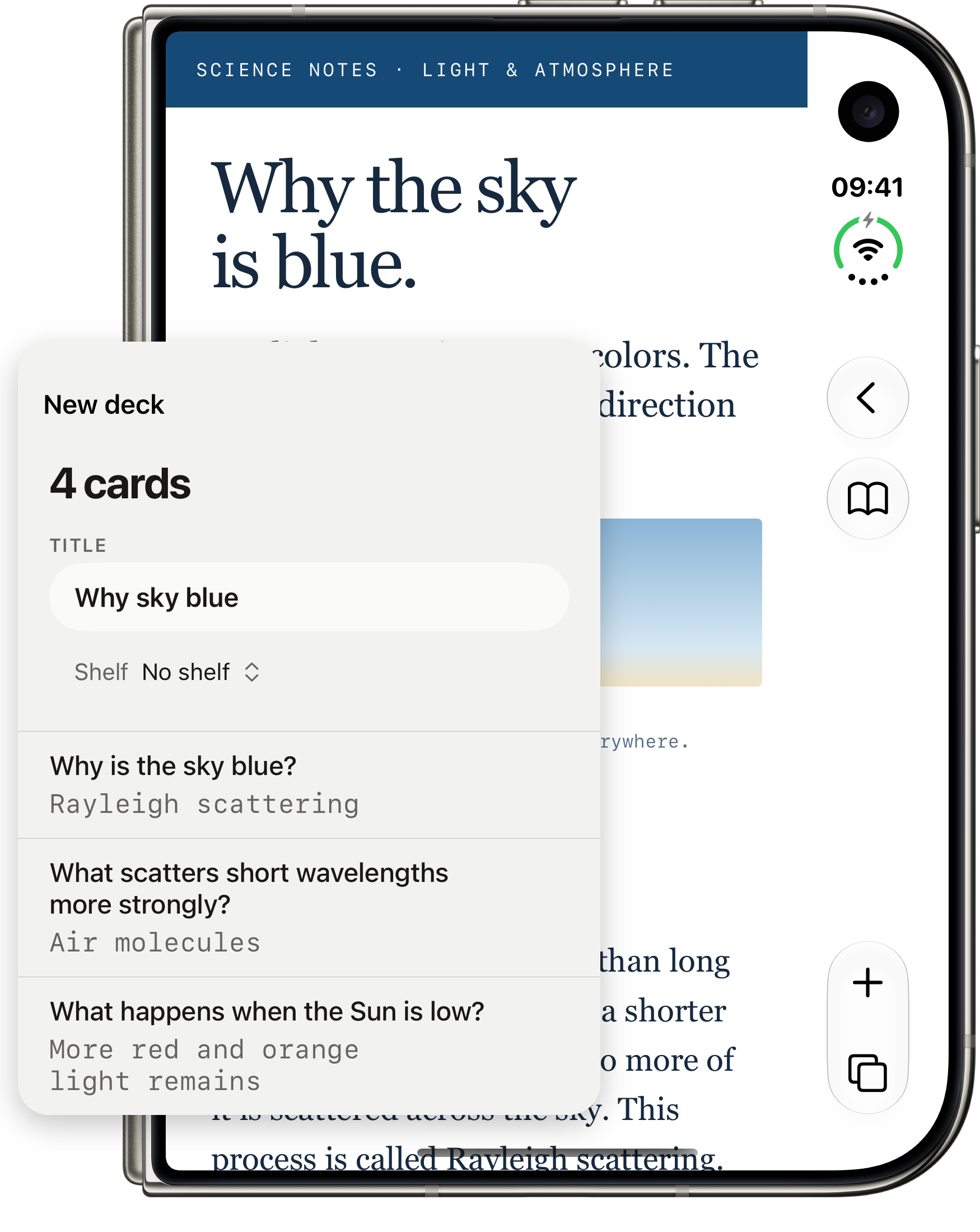
Safari keeps the original science note in view beside native on-device card results. Illustrative composition.
PNG · 1750 × 2200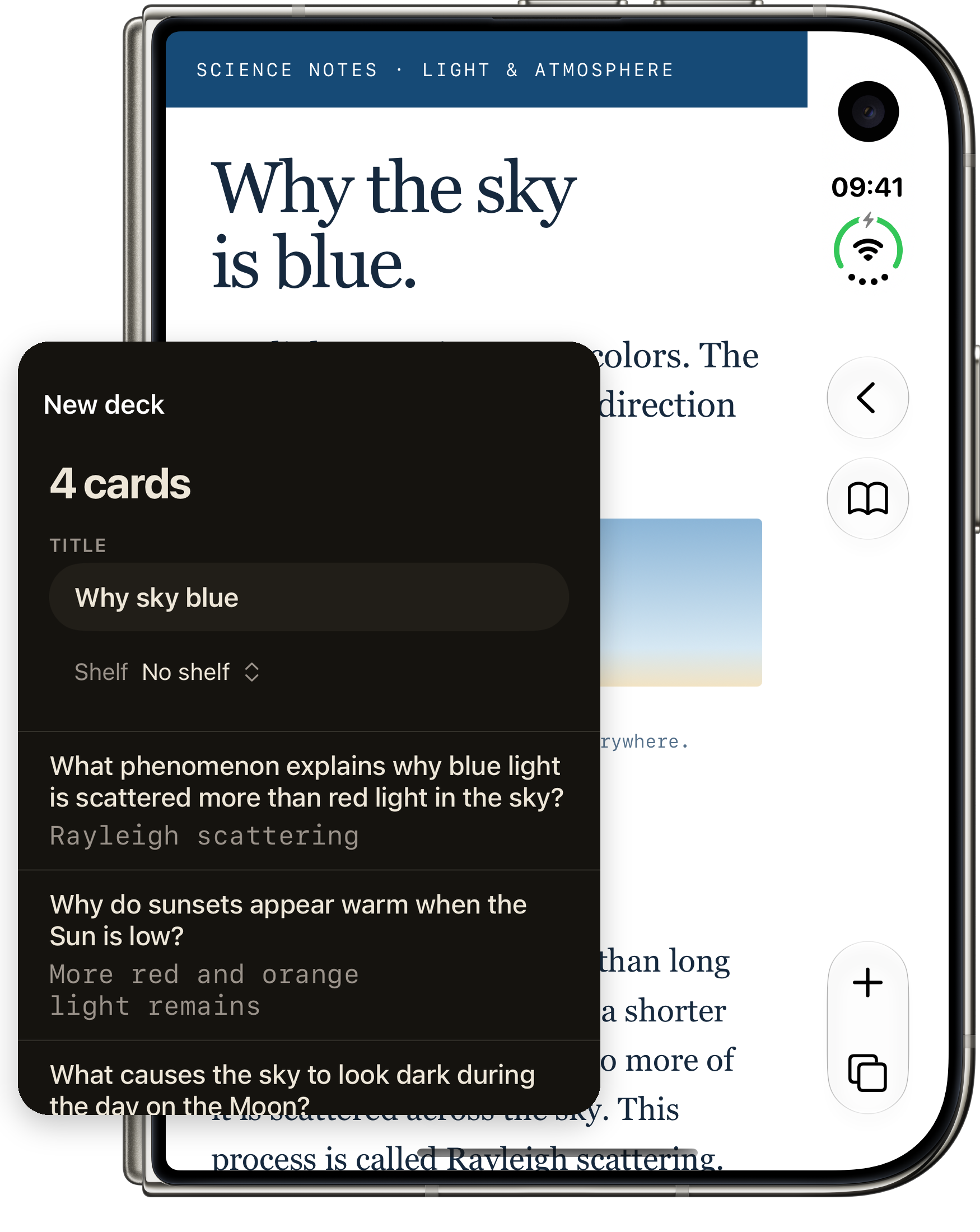
Review the generated cards before adding them. Dark results panel shown beside the original Safari source; illustrative composition.
PNG · 1750 × 220003 · The icon
Pale gold. Light and dark.
Original 1024 × 1024 PNG exports from Icon Composer.


04 · The details
Copy and facts
In one paragraph
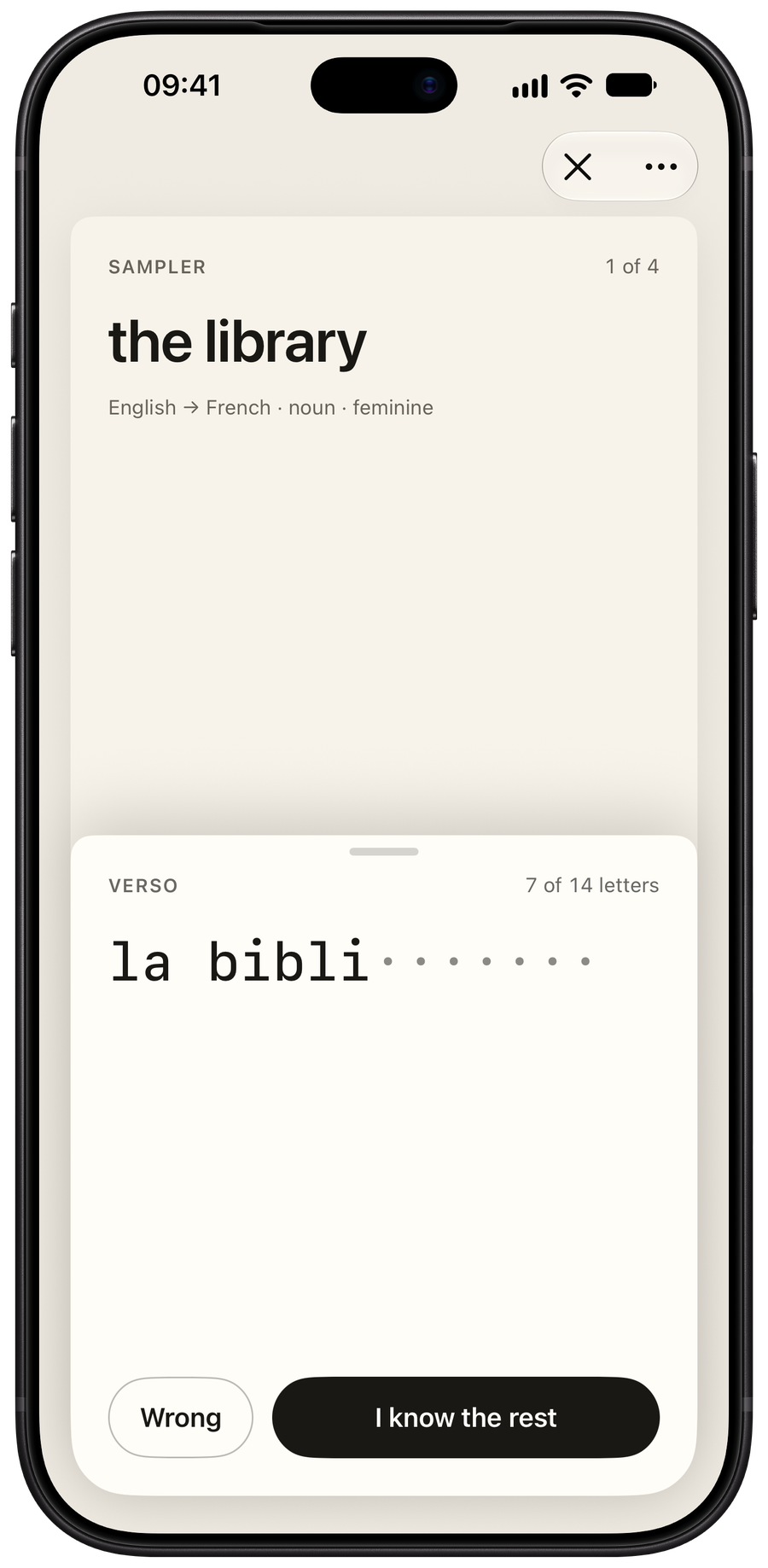
RectoVerso is a flashcard app designed for iPhone Duo. Open the phone and the answer arrives a little at a time. Stop as soon as you know it, and say so: the whole answer then shows, so you can check yourself. How much you revealed helps decide when the card comes back, and FSRS-6 schedules the reviews over time. You never rate how hard a card was. On any other iPhone, slide the answer up with your thumb. Write your own cards, import Anki decks, or use Apple Intelligence’s on-device model to draft cards from English text. RectoVerso has been on the App Store since October 23, 2026, for US$17.99, paid once. No account, no subscription, nothing collected.
What’s new about it
- The hinge is the reveal.
On iPhone Duo the answer is behind the fold. Opening the phone reveals it a little at a time. How far you open is how much you see.
- What you revealed becomes the rating.
Stop as soon as you know the answer and say so. The whole answer then shows, so you can check yourself. RectoVerso uses how much of the answer you revealed, and whether you were right, to choose when to ask again. FSRS-6 handles the schedule. There is no Again, Hard, Good or Easy to choose.
- Made for the Duo’s poses.
Closed, a card fills the outer display. Open, the question and the answer face each other. In tabletop, the question is above the fold. Closing the phone after answering brings the next card.
- Your Anki decks, both ways.
Bring your decks with their pictures, sounds, due dates and review history. FSRS-6, which Anki offers too, schedules every card. Export your cards back to Anki whenever you want. Math, chemistry, code, furigana and image occlusion stay part of your cards.
- Cards from English text, on the iPhone.
Share a web page, a PDF or selected text to RectoVerso. Apple Intelligence’s on-device model drafts cards from English text.
The learning research, effort model and sources: What’s known, and what’s ours.